Book Categories:
Fix Class Not Registered on LEDEdit: Final Solution

Hello to everyone. In this blog post, we learn how to apply the final solution to remove the error Class Not Registered while running LEDEdit 2014 on Windows 10 (updated).
To have better performance, many users have updated their computers. Then, they have a problem with LEDEdit 2014, and it is written on the screen that the Class Not Registered on LEDEdit. What happened to his data? because of the newly installed Adobe Flash Player in the window?
Table of Contents
Steps to Fix Class Not Registered on LEDEdit
Step 1: Go to “Control Panel” and click “Uninstall” to uninstall the old default “Adobe Flash Player” from Windows.
Step 2: Download the file below the article to solve the problem of classes not registered in LEDEdit 2014.
Step 3: After completion of the download, you can run the setup, and a file is created in the download folder. After that, right-click the icon and click “Extract Here“.
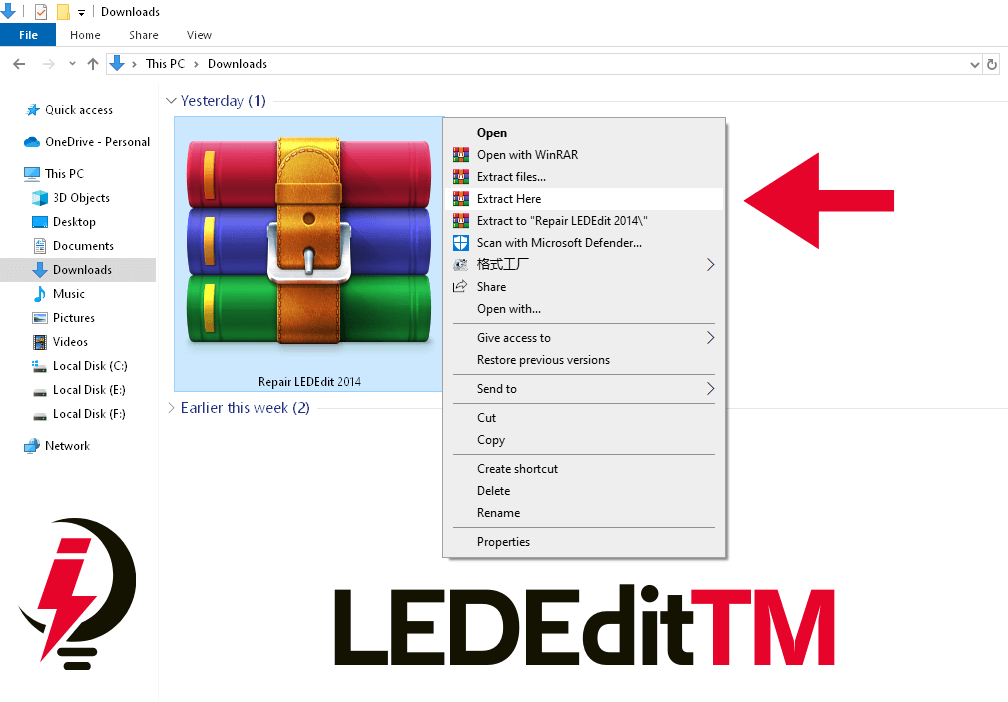
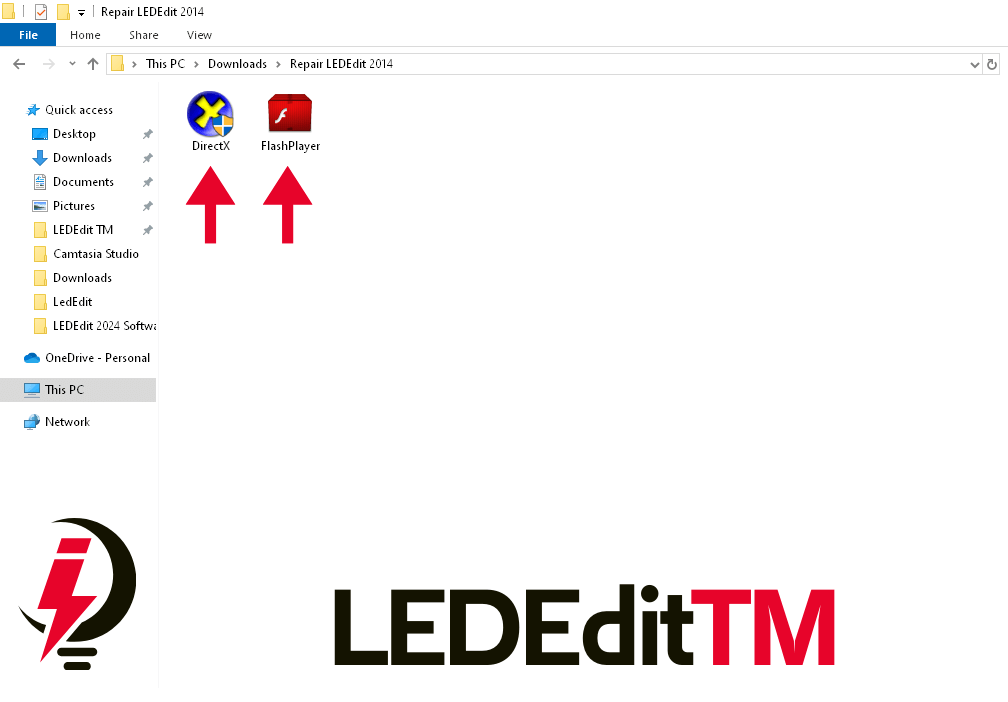
Step 4: Following the extraction of the file, two programs appear on the screen. First, click on the first program. After that, click on the second program to install. You will have to restart your PC.
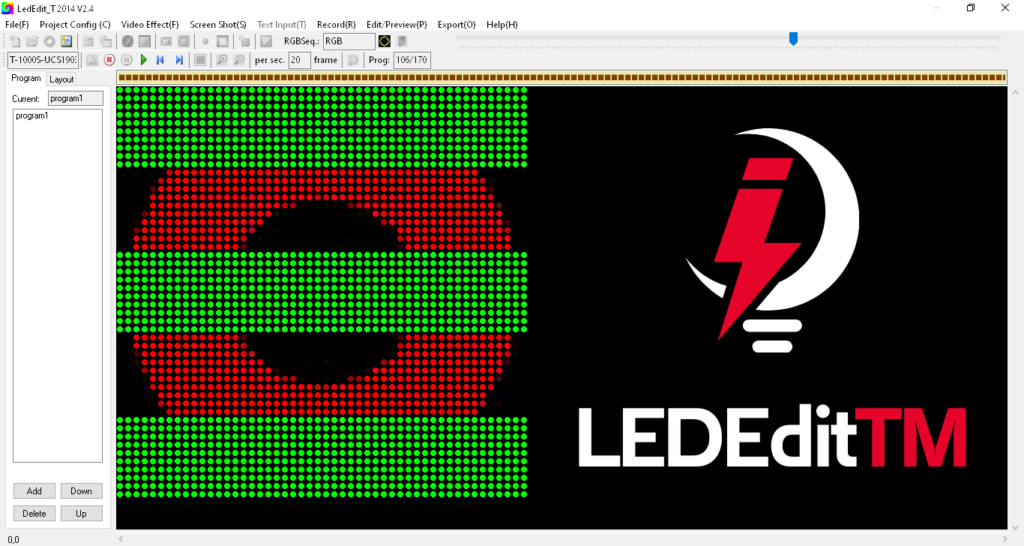
Step 5: When you open LEDEdit 2014, you can see all LEDEdit effects are running properly.
NOTE: If there is a problem while downloading and your computer has Windows Defender, Firewall, or any other antivirus software, then stop it.
LEDEdit TM
Do not forget to subscribe to our newsletter on our LEDEdit TM website to receive all new programs and effects, and we will soon add new effects. If you have a specific size, leave us a comment, and we will provide it.
Download LEDEdit Effects
- Pixel LED Effects Download Pack: 7000 Effects for LEDEdit
- Pixel LED Effects Download for LEDEdit, Jinx, NeonPlay, and More
- Pixel LED Thoranam Effects 10X60 Pack1 For LEDEdit Software
- Pixel LED Thoranam Effects 10X60 Pack2 For LEDEdit Software
- Pixel LED Thoranam Effects 16X64 Pack1 For LEDEdit Software
- Pixel LED Thoranam Effects 15X60 Pack1 For LEDEdit Software
If you like LED software, you may also like:
We hope you find this tutorial useful. Thanks for reading.